#Products & Pricing
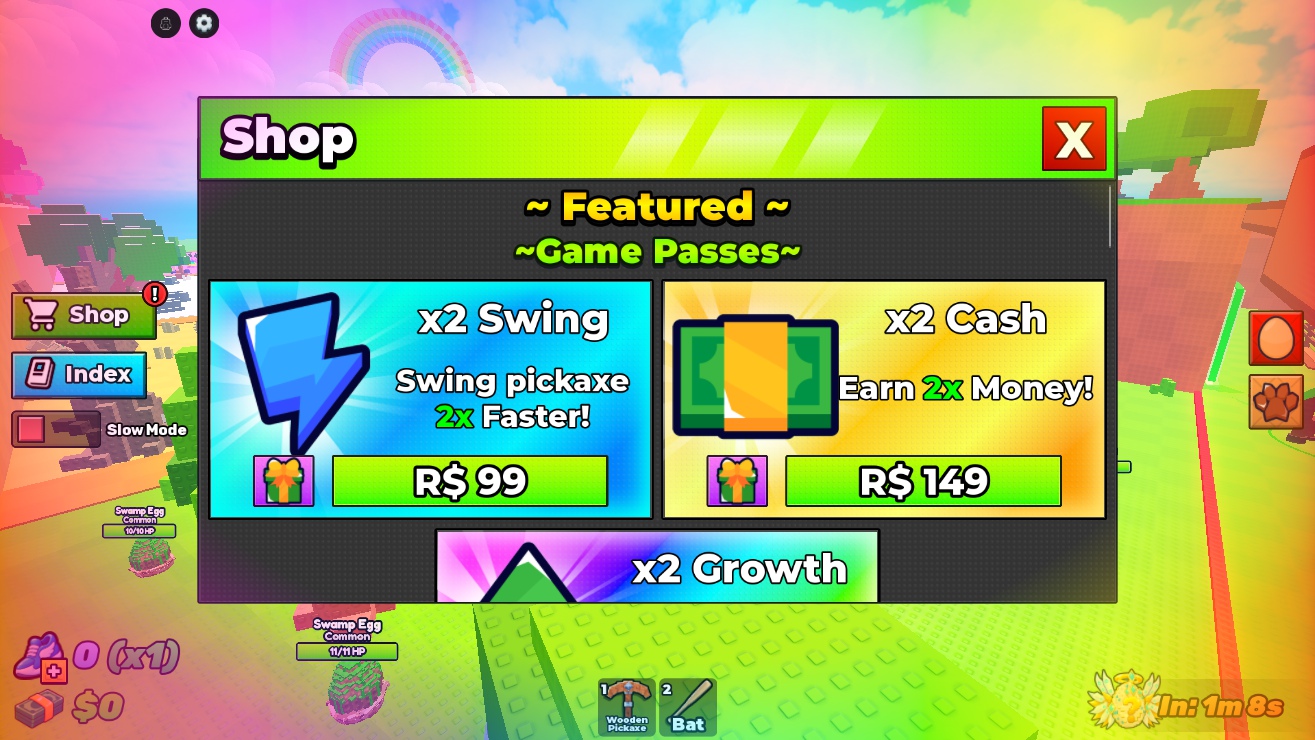
The shop UI includes passes, currency packs and potions. Every ProductId and GamePassId is currently 0, so the presence of a price label does not mean checkout is configured.
#Connect your Roblox offers
- Create the relevant game passes and developer products for your own experience.
- Fill
GameConfig.Marketplace.GamePassIdsandProductIdswith their numeric IDs. - Match each array position to the corresponding item or pack in
GameConfig.Shop. - Restart the server and verify the fetched price and Roblox purchase prompt.
- Test granting, rejoining and receipt retries before enabling the offers for players.
The IDs for passes and developer products are different categories. Do not put a pass ID into a repeatable-product slot.
#Configured pass labels
| Pass key | Display price |
|---|---|
| DoubleCash | 149 R$ |
| ExtraPetSlots | 99 R$ |
| DoubleSpeed | 149 R$ |
| DoubleGrowth | 99 R$ |
| FastSwing | 99 R$ |
#How prices behave
ShopClient.setPrice starts from Marketplace.DisplayPrices. If the offer has a valid ID, it queries Roblox with GetProductInfoAsync and replaces the label with PriceInRobux from that response. Roblox controls the actual checkout price.
Change display prices in the configuration and set the corresponding real price in Creator Dashboard. A display-price edit alone cannot change an actual Roblox offer.
#Receipts and gifts
ShopServer grants developer products through ProcessReceipt, tracks purchase IDs and saves before confirming the receipt. Keep one authoritative receipt handler; adding a second unrelated script that assigns ProcessReceipt can replace this game's handler.
Gifting requires a supported product mapping, an online recipient and valid GiftProductIds. A gift icon does not make unconfigured passes giftable. Inspect ShopServer and test the exact offer before exposing it.
#Before going live
Review every enabled card, verify the grant matches its copy, and test failed or cancelled prompts. There is no client-side shortcut that grants a purchase just because its button was clicked. Unconfigured checkout produces an unavailable message.